Let's cut through the hype. Crypto payments aren't just for buying illegal things anymore, and they're not just a speculative asset class. They're a real, functioning payment system that solves specific, annoying problems. I remember trying to pay a freelance designer in Argentina a few years back. Bank wires took a week, cost $45 in fees, and he lost another chunk to currency conversion. We switched to Bitcoin. The payment settled in an hour, cost us about $2 in network fees, and he got the exact amount we agreed on. That's the promise.
But it's not all smooth sailing. Volatility, tax headaches, and confusing wallet addresses are real barriers. This guide is for the business owner, freelancer, or curious individual who wants to move past the theory and into the practical, actionable steps of using crypto for payments.
What You'll Learn in This Guide
What is a Crypto Payment Gateway (and Do You Need One)?
Think of a crypto payment gateway like Stripe or PayPal, but for digital currencies. It's the software layer that sits between your website or store and the blockchain. When a customer clicks "Pay with Crypto," the gateway handles the messy parts: generating a unique payment address, detecting the transaction on the network, confirming it, and then telling your system the payment is complete.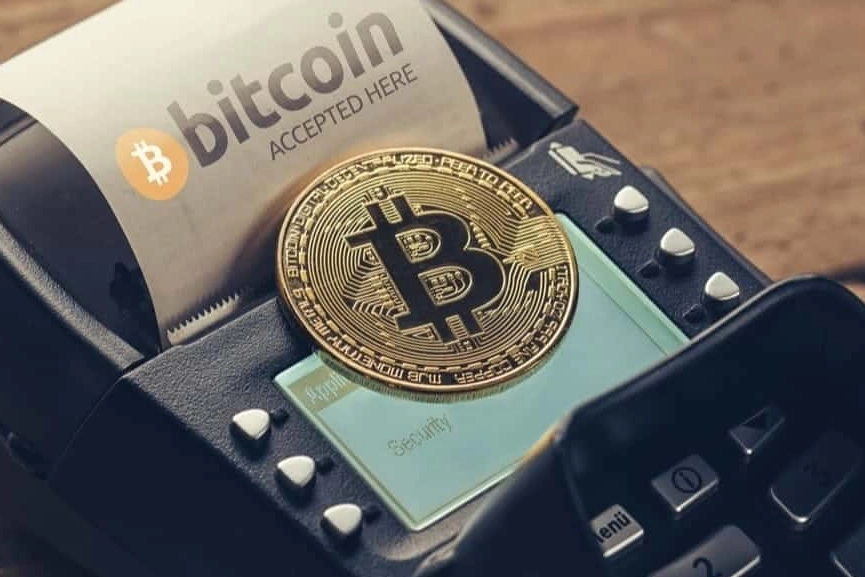
Do you need one? If you're a business planning to accept payments regularly, absolutely. Manually handling this process is a nightmare. You'd have to generate fresh wallet addresses for each order, constantly monitor the blockchain, and manually confirm payments. A gateway automates all of that.
Here's a quick look at some of the major players. I've used a few of these over the years, and they all have different strengths.
| Gateway | Key Feature | Typical Fee | Best For |
|---|---|---|---|
| BitPay | Pioneer, very wide merchant adoption, strong compliance. | 1% + network fee | Businesses wanting a stable, established provider. |
| Coinbase Commerce | Direct integration with Coinbase exchange, you hold the crypto. | 0% (you pay network fees) | Those comfortable holding crypto and using Coinbase. |
| NOWPayments | Supports a massive number of altcoins (1000+), non-custodial. | 0.5% + network fee | Niche communities or projects dealing in specific tokens. |
| Stripe (Crypto) | Seamless integration if you already use Stripe, fantastic UX. | Variable, often ~1% + $0.30 | Existing Stripe users prioritizing customer experience. |
I started with BitPay because it was the only serious option back then. Their dashboard felt clunky, but it worked reliably. Coinbase Commerce is cleaner, but being locked into their ecosystem can be a limitation.
How to Accept Crypto Payments on Your Website
Let's walk through the process. I'll use a hypothetical online store selling digital photography presets.
Step 1: Choose and Sign Up for a Gateway
Pick one from the table above based on your needs. Sign-up usually involves standard KYC (Know Your Customer) – you'll need to provide business details and identification. This isn't optional for legitimate gateways; it's anti-fraud and regulatory compliance.
Step 2: Integration
This is the technical part, but it's often easier than you think.
- E-commerce Platforms: If you use Shopify, WooCommerce, or BigCommerce, there are dedicated plugins for gateways like BitPay and Coinbase Commerce. You install the plugin, connect your API keys from the gateway, and configure the payment button. It's a 20-minute job.
- Custom Website: You'll use the gateway's API. They provide detailed documentation. The flow is: 1) Your cart creates an "invoice" via the API, 2) The API returns a payment link/QR code, 3) You show this to the customer, 4) Your system listens for a "webhook" (a notification) from the gateway confirming payment.
I integrated BitPay into a custom WordPress site once. The hardest part wasn't the code; it was figuring out the SSL certificate issues for the webhook to work. A classic hidden snag.
Step 3: Configure Settlement and Payouts
This is crucial. Decide: do you want to be paid in crypto or fiat?
- Fiat (Recommended for beginners): Set your gateway to auto-convert. Choose your settlement currency (USD, EUR) and payout schedule (daily, weekly). The money will land in your connected bank account.
- Crypto: The payments will accumulate in a wallet controlled by the gateway or be sent to a wallet address you specify. You are now exposed to market volatility. This is a strategic choice, not a default setting.
Step 4: Test Everything
All good gateways have a "test" or "sandbox" mode. Use it. Make a test purchase with a tiny amount of testnet crypto (fake crypto for testing) to ensure the payment flow, confirmation, and order completion work end-to-end. Don't skip this.
How to Send a Crypto Payment (Without Screwing Up)
This is where most new users panic. Sending crypto feels like wiring money into a void. Follow this checklist.
- Get the Exact Address: Copy the recipient's wallet address. Double-check it. Triple-check it. A single wrong character means your money is gone forever. Use copy-paste, never type manually.
- Check the Network: This is the #1 mistake. If you're sending USDC on the Ethereum network, you must send it to an address that supports USDC on the Ethereum network. Sending Ethereum-based USDC to a Solana-based USDC address will destroy the funds. The gateway's payment page will always tell you which network to use.
- Set the Right Fee: Your wallet will suggest a transaction fee. A higher fee gets confirmed faster. For time-sensitive payments, don't choose the cheapest option. For a non-urgent transfer, the cheap one is fine.
- Send a Small Test First: If it's a large payment or a new address, send a tiny amount first (e.g., $5 worth). Wait for it to confirm and be accepted by the recipient. Then send the rest. The network fee is worth the peace of mind.
I learned the "test first" rule the hard way, sending a full payment to what I thought was a client's new address. It was for a different network. We spent a week in panic before (luckily) discovering the address was controlled by an exchange that could recover it. Not fun.
Common Challenges and How to Tackle Them
It's not all rainbows. Here are the real-world friction points.
Price Volatility: This is the big one. A customer's $100 cart could be worth $95 or $105 by the time their transaction confirms (usually within minutes). Gateways solve this with stablecoins (USDC, USDT) or by locking in a fiat price for a short window (e.g., 15 minutes). As a merchant, auto-conversion to fiat is your primary defense.
User Experience: For the average customer, paying with crypto is still clunky. They need a wallet, they need to have crypto in it, they need to understand networks and gas fees. This is improving with better wallet designs and layer-2 solutions, but it's a barrier. Your job is to provide crystal-clear instructions on the checkout page.
Regulatory Gray Areas: Rules are evolving. The Travel Rule, which requires sharing sender/receiver info for larger transfers, is coming to crypto. Using a licensed, compliant gateway shifts this burden to them. Don't try to be your own payment processor at scale.
The Future Outlook: Beyond the Hype Cycle
Crypto payments aren't waiting for mass adoption to be useful. They're already a critical tool in specific verticals.
- Cross-Border B2B: This is the killer app right now. Paying suppliers or contractors across borders with traditional methods is slow and expensive. Crypto is fast and relatively cheap.
- Digital Goods & Services: Freelancers, SaaS companies, and online creators are early adopters. The global, permissionless nature of crypto is a perfect fit.
- Micropayments: Tipping content creators, paying per article, or in-game purchases. Sending $0.10 via PayPal is impossible due to fees. With certain crypto networks, it's feasible.
The infrastructure is maturing. We're seeing better point-of-sale systems, integration with traditional finance rails, and clearer regulations. The value proposition—lower fees, faster settlement, financial inclusion—is too strong to disappear.
It's a tool, not a religion. Use it where it makes sense.
Questions You Might Still Have
What is the biggest hidden cost when accepting crypto payments?
Most people focus on the low transaction fees, but the real hidden cost is often the conversion spread. When a payment gateway automatically converts crypto to fiat for you, they apply an exchange rate that's usually 1-2% worse than the spot market rate. This 'spread' is how many gateways make their real money, not the advertised 1% fee. If you're handling significant volume, consider holding a portion of the crypto or using a service with more transparent conversion pricing.
How do I handle crypto payment refunds and chargebacks?
Refunds are technically simple: you send the crypto back to the customer's wallet address. The complexity is in the value. Crypto prices fluctuate, so do you refund the exact crypto amount (which may now be worth more or less) or the fiat equivalent? You need a clear policy. As for chargebacks, this is a double-edged sword. The lack of traditional chargebacks protects merchants from fraud, but it also means customers have zero recourse if you don't deliver. Building trust through clear communication is non-negotiable.
Which crypto is most practical for daily business payments right now?
For pure practicality, look beyond just Bitcoin. While Bitcoin has brand recognition, its network can be slow and expensive for small transactions. Litecoin (LTC) or Bitcoin Cash (BCH) often have faster confirmation times and lower fees, making them better for point-of-sale or small online purchases. Stablecoins like USDC or USDT are arguably the most practical for businesses wanting to avoid volatility altogether. They combine the settlement speed of crypto with the price stability of the US dollar, simplifying accounting and pricing.
Is it safe to connect my crypto exchange account to a payment gateway?
You should never give a third-party service full access to your main exchange account's trading or withdrawal functions. Reputable payment gateways use secure API keys with strictly limited permissions, often called 'restricted' or 'withdrawal-only' keys. These keys can only send funds to a single, pre-approved wallet address (the gateway's settlement address). This setup means even if the gateway's system is compromised, the attacker cannot access your full exchange balance or trade on your behalf. Always verify the permission scope before connecting any API.
Reader Comments